Once I have Vault up and running in Kubernetes, the real work begins: day-to-day operations. Managing policies, secrets, and user access correctly is crucial for security. Over the years, I’ve developed a set of standard operating procedures for these essential tasks. This is my personal guide to managing Vault in a production environment.
Part 1: How I Manage Policies
Everything in Vault starts with policies. They are the bedrock of its security model, defining who can do what. I write them in HCL and treat them as the first and most important step in securing Vault.
Creating an ACL Policy
I often create policies directly in the UI, which is great for visualizing them, especially when starting out. For example, I’ll create a restrictive read-only policy for an application that only allows it to list and read secrets under its designated path.
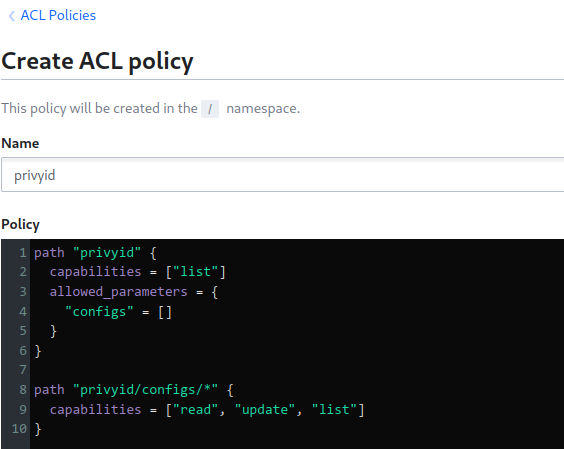
# Read-only access for an application
path "myapp/configs/*" {
  capabilities = ["read", "list"]
}
For automation and GitOps, I define these policies as code in .hcl files and apply them with the vault policy write command. I have standard templates for different roles: a restrictive read-only policy for applications, a more permissive one for developers in their own namespaces, and a full admin policy for myself.
Part 2: How I Manage Secrets
With my policies in place, I can start managing secrets. The first thing I do is enable the Key-Value (KV) secrets engine. I always use kv-v2 because the versioning it provides has saved me more than once.
Enabling and Creating Secrets
I enable the engine at a specific path, like myapp, using the CLI:
vault secrets enable -path=myapp kv-v2Then I create secrets, either through the UI for one-offs or via the CLI for scripting. For example, I’ll store database credentials at a path like myapp/configs/database.
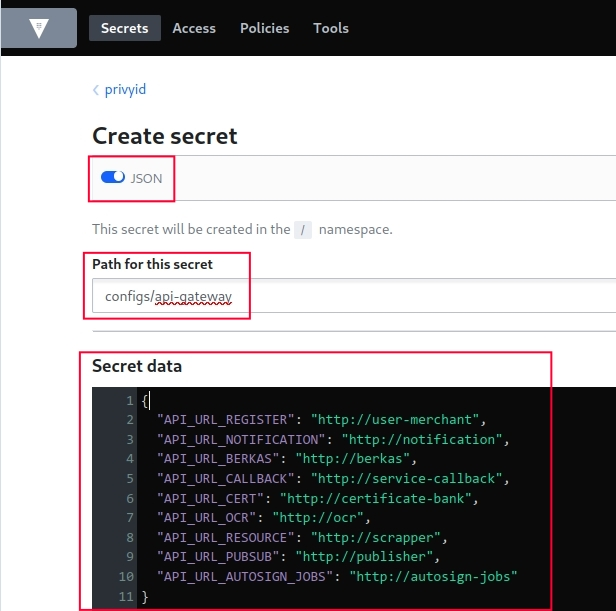
# Create a secret with multiple key-value pairs
vault kv put myapp/configs/database \
  host=postgres.example.com \
  port=5432 \
  username=app_user \
  password=secure_password_here
Using Secret Versioning
The versioning in KV-v2 is a lifesaver. I can easily get a specific version of a secret, roll back to a previous one if something goes wrong, or even undelete a version that was accidentally removed.
# Get a specific version of a secret
vault kv get -version=2 myapp/configs/database

# Rollback to a previous version
vault kv rollback -version=2 myapp/configs/database
Part 3: How I Manage Users
For user access, I start by enabling an auth method. While userpass is simple and great for initial setup or break-glass scenarios, for production I always integrate with an SSO provider like OIDC or LDAP.
Creating a User (with userpass)
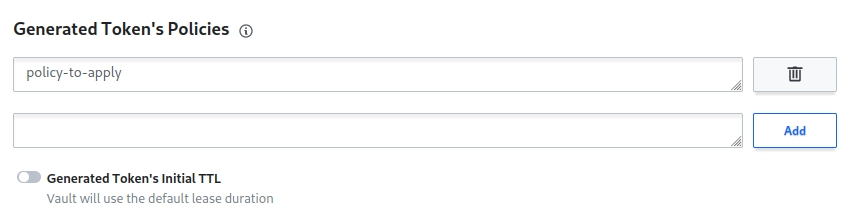
When I create a user, I attach the policies I defined earlier, like developer or read-only. I also set a token_ttl to ensure their login sessions aren’t permanent, forcing them to re-authenticate after a set period, like 8 hours.
# Create a user with a password and policies
vault write auth/userpass/users/john \
  password=secure_password \
  policies=developer,read-only \
  token_ttl=8h
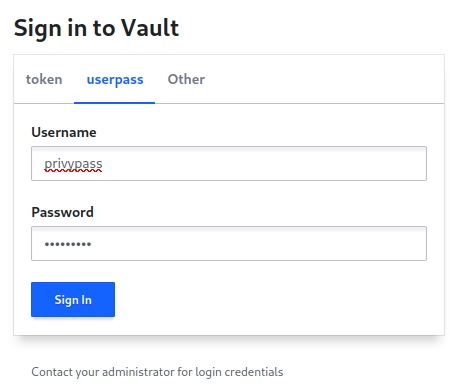
After the user logs in, they receive a token that has only the permissions granted by the attached policies.
Part 4: My Approach to Kubernetes Service Account Integration
For applications running in Kubernetes, I use the Kubernetes auth method. This is the most secure way to let pods authenticate with Vault and fetch secrets.
First, I enable and configure the auth method, pointing it to the cluster’s Kubernetes API.
vault auth enable kubernetes
vault write auth/kubernetes/config ...
Then, I create a role in Vault that is bound to a specific Kubernetes Service Account name and namespace. This ensures that only a pod with that specific service account can assume the role and get a Vault token.
# Create a role for the 'myapp-sa' service account in the 'production' namespace
vault write auth/kubernetes/role/myapp \
  bound_service_account_names=myapp-sa \
  bound_service_account_namespaces=production \
  policies=myapp-policy \
  ttl=1h
From inside the pod, the application can then use its Kubernetes service account token to log in to Vault and retrieve its secrets.
My Core Principles
My entire Vault strategy boils down to a few core principles. I always start with the principle of least privilege, organizing secrets into hierarchical paths and using policy templates. I rely heavily on the versioning in KV-v2 and enforce secret rotation. For users, I push for SSO integration and short-lived tokens. And for applications, the Kubernetes auth method is non-negotiable. By sticking to these rules and enabling audit logging, I can maintain a secure and manageable secrets infrastructure.