I used to dread managing secrets in Kubernetes. The process was so manual and error-prone: I’d update a secret in Vault, then have to copy the new value, base64 encode it, and patch the corresponding Kubernetes Secret. It was a nightmare, especially when I had to rotate secrets. Then I discovered Vault CRD, an operator that completely automates this process. It was a game-changer. Here’s how I set it up to continuously sync secrets from Vault to Kubernetes.
How It Works and Why I Use It
The way Vault CRD works is elegant. I just create a custom resource in Kubernetes that points to a secret path in Vault. The CRD operator then watches that path and automatically syncs any changes into a native Kubernetes Secret, usually within 30 seconds. This completely eliminates the manual work and ensures my applications always have the latest credentials.
graph LR
    subgraph Vault
        Secret1[Secret:<br/>myapp/configs/api]
    end

    subgraph Kubernetes
        VaultCRD[Vault CRD<br/>Operator]
        CRD1[Vault CR:<br/>api-configs]
        K8sSecret1[K8s Secret:<br/>api-configs]
        Pod[Application Pod]
    end

    Secret1 -.->|Sync every 30s| VaultCRD
    VaultCRD --> CRD1
    CRD1 --> K8sSecret1
    K8sSecret1 --> Pod

    style VaultCRD fill:#7c4dff,color:#fff
    style Secret1 fill:#f9f,stroke:#333
For authentication, the only production-ready option for me is the Kubernetes Auth Method. It lets the Vault CRD use its own Kubernetes ServiceAccount to securely authenticate with Vault and auto-renew its tokens. I never use static tokens in production.
Here’s my step-by-step process.
Step 1: Set Up Kubernetes for Vault Auth
First, I set up the Kubernetes side of the authentication. This involves creating a ServiceAccount that Vault will use to verify authentication requests from the cluster, and a ClusterRoleBinding that gives it the system:auth-delegator role, allowing it to review tokens.
kubectl create serviceaccount vault-auth -n default
kubectl apply -f - <<EOF
apiVersion: rbac.authorization.k8s.io/v1
kind: ClusterRoleBinding
metadata:
  name: role-tokenreview-binding
roleRef:
  apiGroup: rbac.authorization.k8s.io
  kind: ClusterRole
  name: system:auth-delegator
subjects:
- kind: ServiceAccount
  name: vault-auth
  namespace: default
EOF
Step 2: Configure the Kubernetes Auth Method in Vault
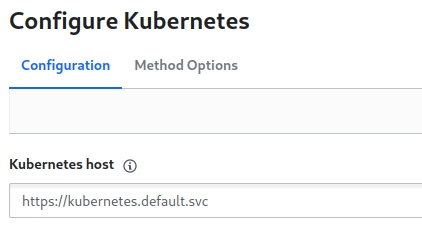
Next, I configure Vault to trust my Kubernetes cluster. I enable the Kubernetes auth method and provide it with the cluster’s API endpoint, its CA certificate, and the token of the vault-auth service account I just created.
Step 3: Create a Vault Policy for the CRD
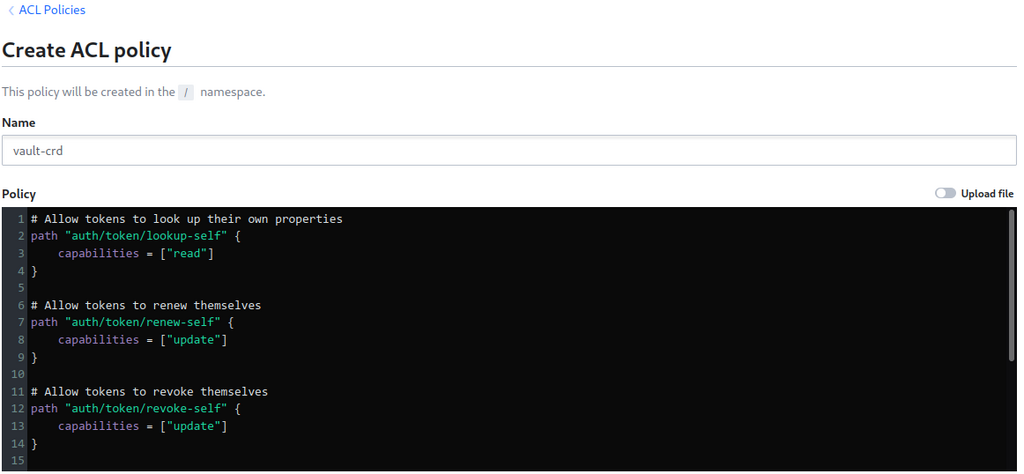
With auth configured, I create a Vault policy specifically for the CRD. This is a least-privilege policy that only grants the CRD the ability to read the secret paths it needs to sync and to manage its own token.
# vault-crd-policy.hcl
path "auth/token/lookup-self" { capabilities = ["read"] }
path "auth/token/renew-self" { capabilities = ["update"] }
path "auth/token/revoke-self" { capabilities = ["update"] }

# Read access to application secrets
path "myapp/*" { capabilities = ["read"] }
path "production/*" { capabilities = ["read"] }
I create the policy in Vault:
vault policy write vault-crd vault-crd-policy.hcl
Step 4: Create the Kubernetes Auth Role in Vault
Then, I create a Vault role that ties it all together. This role binds the vault-crd-serviceaccount from Kubernetes to the vault-crd policy I just created in Vault.
vault write auth/kubernetes/role/vault-crd \
  bound_service_account_names=vault-crd-serviceaccount \
  bound_service_account_namespaces=default \
  policies=vault-crd \
  ttl=24h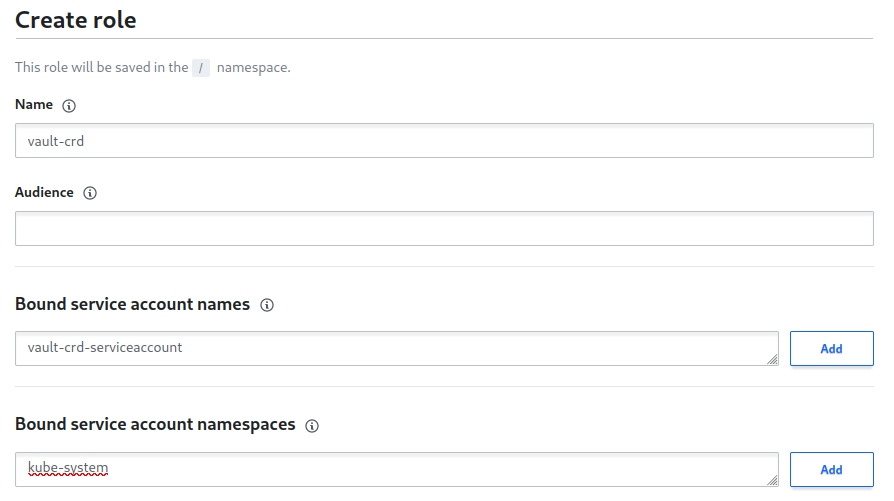
Step 5: Install the Vault CRD
Now I’m ready to install the Vault CRD itself using its Helm chart. I configure the values.yaml to use the serviceAccount auth method, specify the vaultRole I just created, and point it to my Vault instance.
# values.yaml
vaultCRD:
  serviceAccountName: vault-crd-serviceaccount
  vaultAuth: serviceAccount
  vaultAuthPath: kubernetes
  vaultRole: vault-crd
  vaultUrl: http://vault.vault:8200/v1/
  env:
  - name: KUBERNETES_INTERVAL
    value: "30"
I install the chart with helm install vault-crd vault-crd/vault-crd -f values.yaml.
Step 6: Create the Vault Custom Resource
With the CRD running, the fun part begins. I create a secret in Vault, then create a Vault custom resource in Kubernetes pointing to that secret’s path.
# api-gateway-secret.yaml
apiVersion: "koudingspawn.de/v1"
kind: Vault
metadata:
  name: api-gateway-configs
  namespace: default
spec:
  type: "KEYVALUE"
  path: "myapp/configs/api-gateway"
I apply it with kubectl apply -f api-gateway-secret.yaml.
Step 7: Verify the Sync
Within 30 seconds, I can see that the CRD has worked its magic. A new Kubernetes Secret with the name api-gateway-configs has been created, containing all the data from Vault, automatically base64 encoded.

Once the secret is in Kubernetes, my applications can consume it just like any other native secret, either as environment variables or as a mounted volume. The application doesn’t even need to know Vault exists.
Final Thoughts
Using Vault CRD has fundamentally simplified my secret management workflow. My key takeaway is that it provides a clean, declarative bridge between Vault as the source of truth and Kubernetes as the runtime environment. I always use the Kubernetes auth method, enforce least-privilege policies, and manage the Vault custom resources in Git as part of my GitOps workflow. This pattern has eliminated manual errors and ensures my secrets are always in sync, making it a production-ready alternative to the sidecar injector model.